

OpenFDA Drug Side Effect Search Tool
Search FDA Drug Side Effects
Enter a drug name and side effect to see sample results from the FDA's FAERS database. Remember: these are reported side effects, not confirmed risks.
Search Results
Example API Query
Sample Report Data
These are simulated results to demonstrate the format of OpenFDA data. Actual data may vary.
Brand: Glucophage
Dosage: 500mg daily
Onset: 14 days after start
Severity: Moderate
Gender: Female
Weight: 65kg
Recovery: Partial
Important Safety Note
A report indicates a side effect was reported, but it does not prove the drug caused it. Many reports are coincidental. This data is for research purposes only - do not make medical decisions based on these reports. Always consult your healthcare provider.
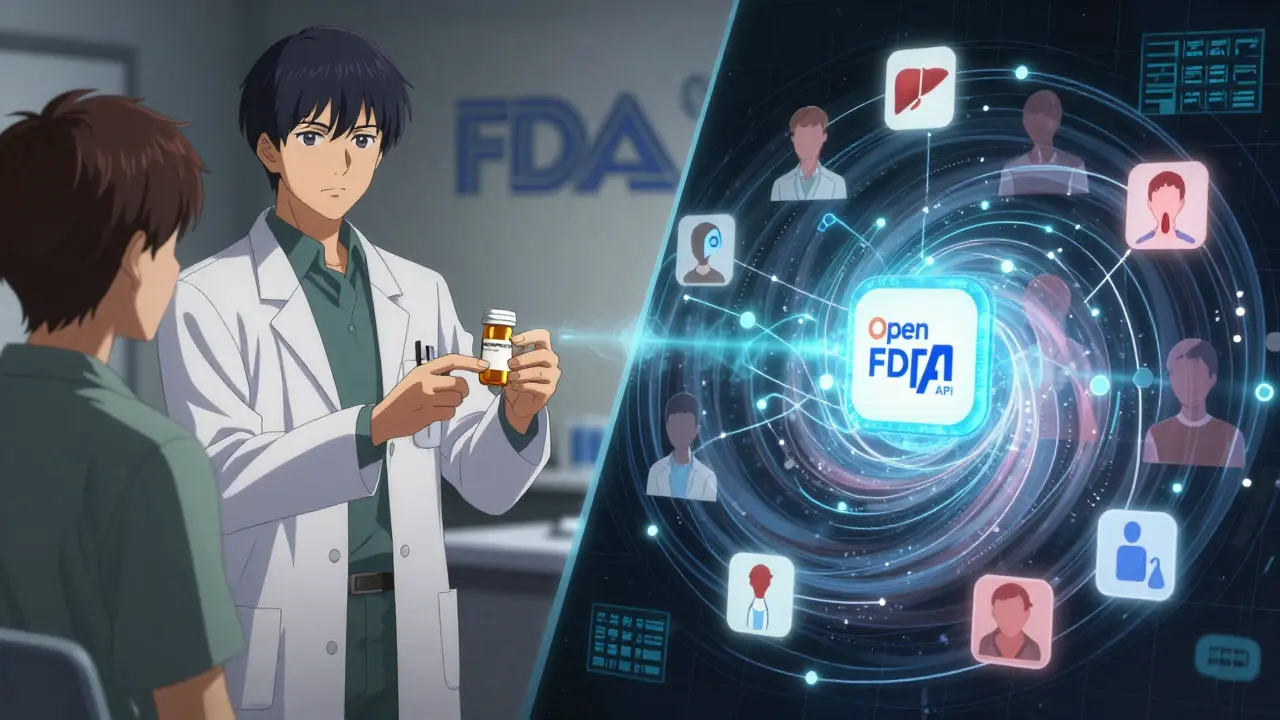
Every year, over 14 million reports of drug side effects flood into the FDA’s FAERS database. But until 2014, getting access to this data meant downloading massive XML files, wrestling with outdated tools, and waiting weeks just to find one drug’s safety signal. Today, you can pull the same information in seconds using the OpenFDA API-no special clearance, no paperwork, just a free API key and a few lines of code.
What Is OpenFDA, and How Does It Relate to FAERS?
OpenFDA is the U.S. Food and Drug Administration’s public-facing API system. It doesn’t collect new data-it opens up existing government datasets that were buried in hard-to-use formats. The most widely used of these is the FDA Adverse Event Reporting System, or FAERS. FAERS is the official database where doctors, patients, and drug companies report side effects from medications, vaccines, and medical devices. These reports include details like the drug name, patient age, symptoms, and outcomes-like hospitalization or death. Before OpenFDA, researchers had to manually download FAERS data in XML or CSV format, then clean and structure it themselves. That process could take days. OpenFDA changed that. It turned FAERS into a searchable, real-time API. Now you can ask questions like, “Show me all reports of liver damage linked to metformin in people over 65,” and get structured JSON results back in under a second.How to Get Started with the OpenFDA API
You don’t need to be a developer to use OpenFDA-but you do need an API key. Go to open.fda.gov/apis/authentication/ and sign up. You’ll get a key that lets you make 120,000 requests per day. Without a key, you’re capped at 1,000 requests per day, which isn’t enough for serious analysis. Once you have your key, you’re ready to query. The main endpoint for drug side effects is/drug/event. Every request must follow this format:
https://api.fda.gov/drug/event.json?api_key=YOUR_KEY&search=drugname:"metformin"+AND+patient.reaction.reactionmeddrapt:"hepatitis"That’s Elasticsearch syntax. It’s not user-friendly at first, but it’s powerful. You can search by:
- Drug name (generic or brand)
- Reaction term (using MedDRA standardized codes)
- Patient age, gender, or weight
- Outcome (death, hospitalization, life-threatening)
- Date range
skip parameter to page through thousands of reports. For example, to get the second page of 100 results, add &skip=100.
What Data Can You Actually Get?
Each report returned by OpenFDA includes a structured JSON object. Here’s what’s in there:- Drug information: Generic name, brand name, dosage, route of administration
- Reaction details: MedDRA-coded adverse event term (e.g., “hepatitis,” “anaphylaxis”), onset date, severity
- Patient demographics: Age, gender, weight (if reported), location (country only, no addresses)
- Outcome: Recovery status, hospitalization, disability, death
- Reporter type: Doctor, pharmacist, consumer, or manufacturer
Common Mistakes and How to Avoid Them
Most people who try OpenFDA hit walls within the first hour. Here’s what goes wrong-and how to fix it. Mistake 1: Using brand names instead of generic names. Searching for “Lipitor” won’t work well. Use “atorvastatin.” The data is indexed by generic names. If you’re unsure, cross-check with the FDA’s NDC Directory API. Mistake 2: Ignoring rate limits. If you hit 100 requests per minute without a key, or 240 with one, you’ll get blocked. Always build in delays between calls. In Python, usetime.sleep(0.5). In R, the openFDA package handles this automatically.
Mistake 3: Thinking reports = proof. A report says someone took a drug and then got sick. It doesn’t prove the drug caused it. Many side effects are coincidental. A 70-year-old on metformin who gets hepatitis might have hepatitis C, not a drug reaction. OpenFDA shows signals-not diagnoses.
Mistake 4: Skipping the disclaimer. The FDA is clear: “Do not rely on openFDA to make decisions regarding medical care.” This data is for research, not personal health choices. Always consult a doctor before changing medication.
Real-World Use Cases
OpenFDA isn’t just for academics. Here’s how it’s being used right now:- Academic research: Over 350 peer-reviewed studies in 2022 used OpenFDA to analyze drug safety trends. One study found a spike in pancreatitis reports with GLP-1 agonists like semaglutide-years before the FDA issued a warning.
- Consumer tools: Apps like MedWatcher use OpenFDA to show users how often a drug’s side effects are reported compared to similar drugs.
- Pharmaceutical companies: Small biotechs use it to benchmark their drug’s safety profile against competitors before launching clinical trials.
- Public health monitoring: During the 2023 flu season, researchers used OpenFDA to track rare neurological side effects linked to certain vaccines.
Limitations You Can’t Ignore
OpenFDA is powerful-but it’s not perfect.- Data lag: Reports take up to three months to appear in the API. The system needs time to process, de-identify, and validate submissions.
- Underreporting: Only about 1% of all side effects get reported. Most patients don’t know how, or think it’s not worth it.
- No clinical context: You won’t know if the patient had other illnesses, took other drugs, or had genetic risk factors.
- No signal detection: OpenFDA gives you raw reports. It doesn’t tell you if a side effect is statistically unusual. That’s where tools like ARTEMIS or Oracle Argus come in-but those cost $150,000 a year. OpenFDA is free, but you have to do the math yourself.
PharmGKB or MedWatcher that already layer OpenFDA data with analysis.
Tools and Libraries to Make It Easier
You don’t have to write raw HTTP requests. Here are some helpers:- R package:
openFDAon CRAN. Install withinstall.packages("openFDA"). Useset_api_key("your-key-here")and thensearch_drug("metformin"). - Python: Use
requestsandpandas. Example:response = requests.get("https://api.fda.gov/drug/event.json?api_key=...&search=...&limit=100") - JavaScript: Fetch API works fine. Just handle rate limits and CORS.
- Microsoft Power BI: You can connect directly via the OpenFDA connector. Great for dashboards.

What’s Next for OpenFDA?
The FDA is expanding OpenFDA beyond drugs. New endpoints now include:- Medical device adverse events
- Food safety reports
- Tobacco product complaints
Frequently Asked Questions
Is OpenFDA free to use?
Yes, OpenFDA is completely free. You don’t pay for API access, data downloads, or documentation. The only cost is your time to learn how to use it. This is different from commercial tools like Oracle Argus or ARTEMIS, which charge hundreds of thousands of dollars per year.
Can I use OpenFDA to check if my medication is safe?
No. OpenFDA shows reports of side effects, not proven risks. Many reports are coincidental. For example, if you take a drug and then get a headache, it doesn’t mean the drug caused it. Always talk to your doctor or pharmacist before making any changes to your medication. OpenFDA is for research, not personal medical decisions.
Why can’t I find reports for my drug?
There are a few reasons. First, the drug might be too new-reports take up to 90 days to appear. Second, you might be using the brand name. Try the generic name. Third, very few people may have reported side effects. Some drugs have low usage or mild side effects that go unreported. Try searching for similar drugs to compare.
Do I need programming skills to use OpenFDA?
Not necessarily. You can use tools like Microsoft Power BI or the R package openFDA without writing code. But to do deeper analysis-like comparing side effect rates across multiple drugs-you’ll need to understand basic queries and JSON. Start with the R package. It’s the easiest way in.
How often is the data updated?
The FDA updates the OpenFDA database quarterly. New data is added every three months, but it can take up to 90 days after a report is submitted for it to appear. This delay is due to the time needed to process, de-identify, and validate reports. So if you’re looking for the latest safety signals, you’re seeing data that’s up to three months old.

9 Comments
Diana Alime
December 23, 2025 AT 22:59so i tried using openfda last week and somehow got 403 errors for 3 hours straight. i swear i had the right key. maybe the api just hates me? or maybe it’s one of those things that works fine for devs but breaks for normal humans. anyway, i gave up and went back to google. at least google doesn’t make me feel like a criminal for asking questions.
Georgia Brach
December 24, 2025 AT 05:53The premise of this post is dangerously misleading. OpenFDA does not provide 'real-time' data-it provides delayed, unvalidated, and incompletely processed reports. To suggest that a layperson can derive meaningful safety signals from this without statistical context is irresponsible. The FDA explicitly disclaims clinical utility, yet this article reads like a marketing brochure for data minimalism. This is not access-it’s illusionary transparency.
claire davies
December 25, 2025 AT 22:57I love that this exists, honestly. I’m a nurse in Manchester and I’ve been showing my older patients how to look up side effects before they start a new med. Not to make decisions, mind you-but to ask better questions at the pharmacy. One lady came in last week saying, ‘I saw 87 people had heart palpitations on this thing, so I didn’t take it.’ I didn’t even have to say anything. She did the research herself. That’s power. And yeah, it’s messy. But it’s *their* mess now, not just the doctor’s. Keep pushing this kind of stuff. We need more of it.
Bret Freeman
December 26, 2025 AT 13:10Let me get this straight-you’re telling me a 70-year-old grandma can now bypass her doctor and decide whether her blood pressure med is ‘safe’ based on some random guy in Ohio reporting ‘feeling weird’ after taking lisinopril? This isn’t transparency, it’s a public health time bomb. You’re handing out dynamite and calling it a flashlight. The FDA’s disclaimer is there for a reason. People don’t understand correlation. They think ‘reported’ means ‘caused.’ And now they’re going to stop their meds because some blog told them to. Brilliant.
Austin LeBlanc
December 27, 2025 AT 22:30Why are we letting this data be used by anyone with a laptop? This isn’t open data-it’s open chaos. I’ve seen people on Reddit using this to bully pharmaceutical reps. I’ve seen conspiracy theorists citing single reports as ‘proof’ of government cover-ups. And you’re just handing this out like candy? There should be licensing. Training. A test. You wouldn’t let someone drive a car without a license. Why are we letting them drive a medical database?
niharika hardikar
December 29, 2025 AT 01:46The utilization of OpenFDA for pharmacovigilance analytics necessitates rigorous adherence to MedDRA terminology ontologies and proper application of disproportionality analysis metrics such as PRR and ROR. Without multivariate adjustment for confounding variables-including concomitant medication exposure and temporal alignment of adverse event onset-the interpretive validity of derived signals is statistically untenable. Furthermore, the absence of structured clinical context renders the dataset inherently epistemologically deficient for causal inference.
John Pearce CP
December 30, 2025 AT 18:53Another example of America giving away its most valuable public health data to the world while our own citizens struggle to get a doctor’s appointment. China and Russia are building their own closed systems. We’re handing ours out for free to anyone with a Wi-Fi connection. This isn’t innovation-it’s surrender. And now foreign actors can mine our patient data for geopolitical advantage. Someone should be held accountable for this.
Jillian Angus
December 31, 2025 AT 03:22Used this for my mom’s new diabetes med. Found a bunch of reports about nausea but nothing about liver stuff. She’s 72. Didn’t panic. Didn’t stop the med. Just asked her doc. Doc said it’s normal. So cool that I could check. No drama. Just… info. Thanks for that.
Paula Villete
January 1, 2026 AT 06:57Oh look, another post that treats a government database like it’s a Yelp review for pills. ‘I found 300 people said metformin gave them diarrhea-so it’s dangerous!’ No, Karen. That’s called ‘common side effect.’ You know what’s dangerous? People thinking they’re doctors because they scrolled a JSON file. Meanwhile, the real heroes are the 1% of patients who bother to report. Thank you, anonymous person who took 10 minutes to fill out a form so others don’t die. You’re the unsung data saint of this whole mess.